




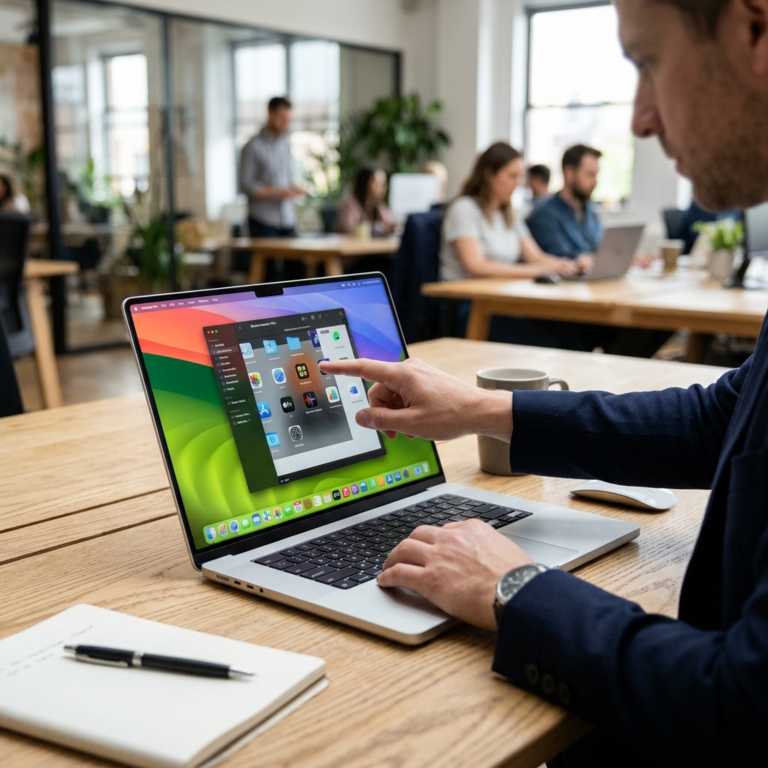
After a week with Apple’s touchscreen MacBook Pro, the clearest conclusion is not that the Mac has become an iPad. Instead, Apple is testing how touch can join a laptop without displacing the keyboard, trackpad and established desktop software that define it. The change matters because the company has long treated the Mac and iPad as distinct tools, even as their processors and features have converged. This new model suggests the boundary may be softening, with practical consequences for work, creativity and the way people expect computers to respond. For users accustomed to tapping phones, the novelty is less a new capability than a change in where Apple is willing to place it on a Mac.
The touchscreen is the headline, but the week’s more persistent impressions come from the wider hardware refresh. A slimmer design changes how the computer feels to carry and use, while an improved display affects nearly every task, from reading documents to editing images. The Dynamic Island, a screen feature associated with Apple’s phones, brings a more visible, glanceable way to surface activity. Together, those refinements make the machine feel updated in ordinary moments, rather than making touch the sole reason to reconsider it. That distinction is important: a laptop is judged over hours of use, not by a single demonstration.
Touch has obvious appeal in situations where a pointer feels indirect. A user can tap a control, zoom into an image with a gesture or move through content without reaching for the trackpad. Designers and illustrators may appreciate direct manipulation, while people presenting or reviewing material can make quick changes more naturally. But a touchscreen does not automatically make every application easier. Desktop interfaces often place small controls close together, and an arm held forward for extended periods can tire; the keyboard and trackpad remain more comfortable for many precise, sustained tasks.
That is why Apple’s implementation matters more as an option than as a replacement. The Mac’s value rests partly on a mature ecosystem of applications built around windows, menus, keyboard shortcuts and accurate pointer control. If touch works alongside those conventions, users can choose the interaction that suits a particular moment without learning a new computer from scratch. If software merely adds tapping to interfaces designed for a cursor, the feature risks being an occasional convenience rather than a defining advance. The real test will arrive in the applications people use daily, and in whether developers make touch feel intentional.
The design also reflects a broader industry question: should personal computers become more like phones, or should each device preserve its own strengths? For years, touch-first tablets have borrowed laptop features, including keyboards and multitasking, while laptops have gained more mobile-style chips and longer battery life. Apple’s move makes that exchange more visible. It does not erase the difference between a tablet and a notebook; it acknowledges that people shift among typing, pointing and touching as tasks change. A hybrid approach could make one device more adaptable, especially for students, mobile professionals and households that want fewer specialized screens.
The commercial stakes extend beyond Apple. A touchscreen Mac could encourage software makers to reconsider how their Mac applications handle gestures, large targets and flexible layouts. Competitors already sell touch-enabled Windows laptops, so Apple is entering an established category rather than inventing one. Its influence, however, could bring fresh attention to the question of whether touch belongs on premium traditional laptops, and could pressure rivals to improve the coherence of their own hardware and software. For businesses, the decision will hinge less on novelty than on durability, support, manageability and whether employees can complete familiar work more efficiently.
The updated display and slimmer chassis may ultimately have broader appeal than the touch panel. Screen quality is felt whenever someone reads, watches or creates; portability matters every time a laptop leaves a desk. Dynamic Island, meanwhile, points to Apple’s effort to make information more available without requiring users to open another app or interrupt their task. These features show how interface changes can be incremental yet meaningful: reduce friction in repeated interactions, and the whole product can feel more capable. Their value will depend on thoughtful software support, not simply on the presence of a new visual element.
For consumers, the practical question is therefore not whether touch is the future of the Mac, but whether this particular mix improves the work they actually do. Buyers who mostly write, code or manage spreadsheets may still rely on keys and a trackpad, while people who annotate, browse visually or demonstrate ideas may use touch more often. The broader lesson is that computers are moving toward interaction choice, not a single universal input method. Apple’s touchscreen MacBook Pro is a measured step in that direction: a familiar laptop with more ways to engage, whose lasting significance will be determined by how naturally its hardware, software and everyday habits fit together.