






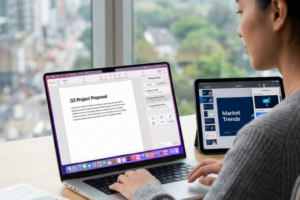
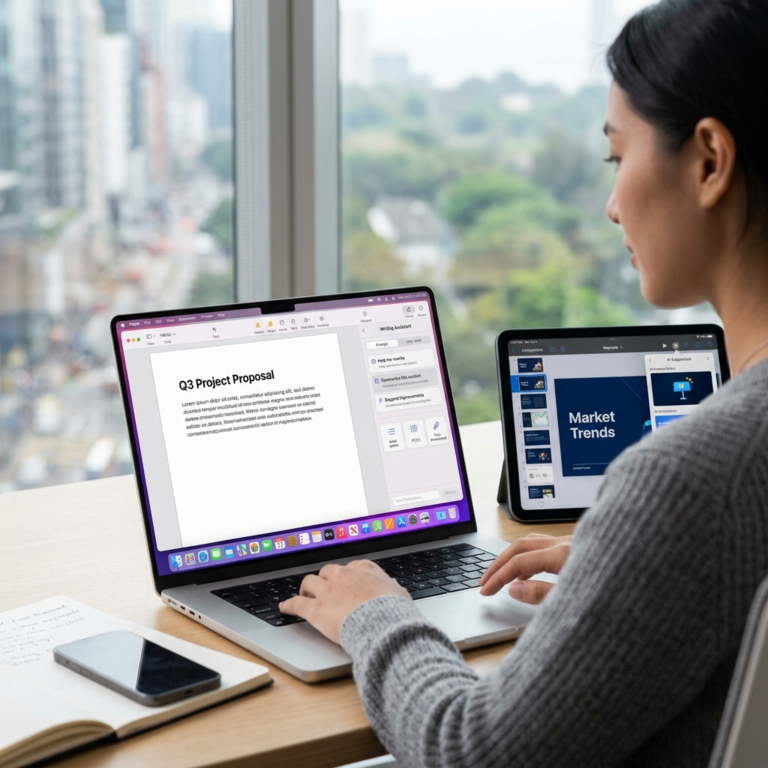
Apple is bringing an AI assistant into Pages, Keynote and Numbers, folding generative tools into the productivity apps used by students, businesses and creative teams. The assistant draws on Apple’s own models and technology from OpenAI, and can work with the contents of a document rather than responding only to a blank prompt. In Pages, it can draft, revise or reorganize writing; in Keynote, it can help shape and animate slides; and in Numbers, it can assist with spreadsheet tasks. The move is notable not because Apple invented AI writing or slide generation, but because it is placing those capabilities inside familiar software where millions already create and collaborate.
The practical idea is to reduce the friction between having a goal and producing a usable first version. A user working on a report, for instance, could ask for a clearer structure or a more concise passage without copying text into a separate chatbot. Someone preparing a presentation could use the material already in a document as a starting point for slides, then ask for help with visual flow or animation. In a spreadsheet, an assistant that understands the surrounding data could make common analysis and formatting steps easier to describe in plain language. Such help may save time, though users will still need to check facts, formulas, tone and design choices before sharing the result.
Context is the feature that could distinguish Apple’s approach from a generic chat window. When software can refer to a document’s existing text, figures or presentation theme, users need not repeatedly explain what they are working on or paste information elsewhere. That can make assistance feel more like a tool built into the workbench than a separate service requiring its own workflow. It also raises familiar questions about what information a model can access, where processing occurs and how data is handled. Apple has made privacy a central part of its brand, but customers should look to the company’s product documentation for specific controls and limitations rather than assume every task stays on a device.
The assistant reflects a larger shift in office software: competition is moving beyond menus and templates toward systems that can interpret intent. Microsoft has embedded Copilot across its productivity products, while Google has added Gemini capabilities to Workspace; numerous smaller services are targeting writing, presentations and data analysis. Apple’s advantage is its control over hardware, operating systems and a tightly integrated app ecosystem, which may let it present AI as a natural extension of existing tools. Its challenge is matching the breadth and reliability of rivals while making the features feel coherent across devices. In a crowded market, useful integration may matter more than a flashy demonstration.
Access and pricing will shape whether the announcement changes everyday work or remains a premium extra. Reports describe the new assistant as a beta feature for Creator Studio subscribers, with availability dependent on compatible Apple hardware and software. That means the headline capability is not necessarily available to every Pages, Keynote or Numbers user, even if the underlying apps are familiar. Subscription access could help Apple fund ongoing model development, but it also creates a distinction between basic productivity tools and a paid layer of AI assistance. For schools, freelancers and small organizations watching budgets, the value will depend on whether the time saved justifies another recurring fee.
For professionals, the strongest near-term use may be acceleration rather than full automation. A communications team could turn a rough outline into a draft, then use its expertise to verify claims and tailor the message; a teacher might make a lesson presentation more engaging without starting from scratch. Spreadsheet assistance could lower the barrier for people who understand a business question but are less comfortable with formulas. Yet generated output can be inaccurate, generic or poorly suited to a particular audience, and plausible-looking numbers deserve especially careful review. Organizations will need policies for sensitive material, human approval and disclosure where AI-generated work could mislead readers.
The design question is equally important: an assistant should help without taking control away from the person doing the work. Apple’s familiar interfaces could make experimentation less intimidating than opening a separate AI platform, especially for users who are curious but uncertain how to prompt one. But suggestions must be easy to inspect, undo and refine, and the system should make clear when it has changed text, charts or slide elements. Accessibility also matters: natural-language commands could help people with different levels of technical skill, while poorly explained features could add clutter. The measure of success will be whether users finish meaningful tasks more easily, not how often they invoke a chatbot.
Apple’s entry therefore carries significance beyond three apps. It signals that generative AI is becoming a standard expectation in productivity software, much as cloud saving and collaboration became routine features in earlier years. That shift could broaden access to sophisticated creative and analytical assistance, while concentrating more influence in the companies that control models, platforms and subscriptions. For users, the promise is a faster route from rough ideas to polished work; the responsibility is to retain judgment over what the tools produce. If Apple can combine dependable results, transparent privacy practices and sensible access, its assistant may make AI feel less like a novelty and more like an everyday part of getting things done.